 New feature
1
Notion editor panel inside ChatGPT
Merged from 3 sources
★ Highlight of the day
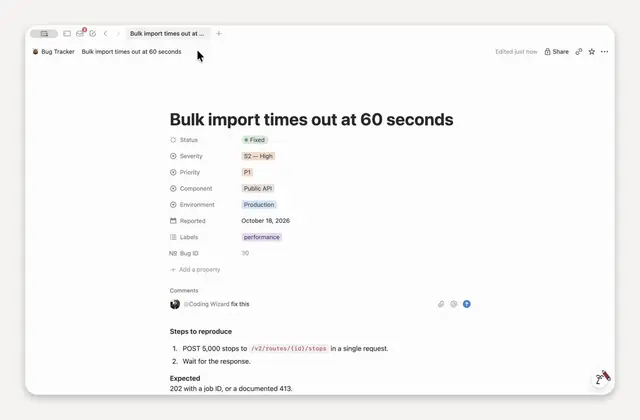
Notion opens a real editor inside ChatGPT for live page edits
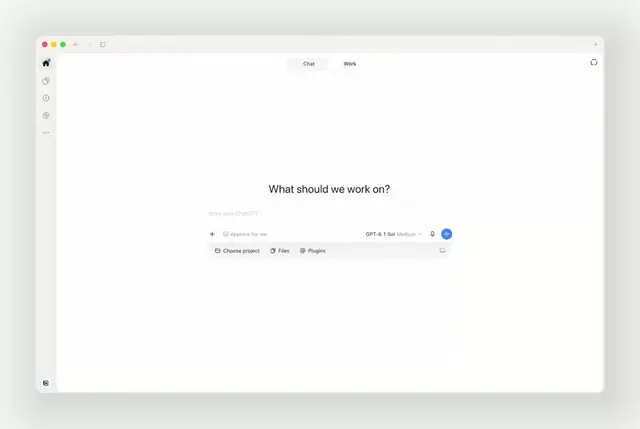
On 6 Nov 2026 (UTC), Notion's official X account said it made a Notion plugin for ChatGPT A ChatGPT add-on that opens a real Notion page editor beside your chat so you can create and edit Notion pages without leaving ChatGPT.. You can use the real Notion editor inside ChatGPT: create a page, watch it take shape as you chat, and jump in to edit it yourself without leaving the chat. Notion's help centre explains how to open, create and edit pages beside your ChatGPT conversation.
What we learned
- Notion says the plugin puts the real Notion editor inside ChatGPT. You stay in chat while a page is created or changed.
- Notion's help guide says you can ask ChatGPT to open a page, use the Notion sidebar in ChatGPT to search or pick a recent page, or start a new page from the panel.
- You can type on the page yourself or ask ChatGPT to edit it. Your usual Notion permissions still apply. The panel works in ChatGPT on the web or in the desktop app, with one connected workspace at a time.
- On Notion Enterprise, a workspace owner can turn the panel off for everyone under Settings → Notion MCP Notion's connector that lets AI tools like ChatGPT and Claude read and write your Notion pages, if you allow it. → Manage workspace clients. The panel uses the same connection as Notion MCP.
Why it matters: If you draft notes or plans in ChatGPT and then copy them into Notion by hand, this cuts that step. Connect the plugin, try one real page, and check what your workspace allows before sharing sensitive pages.
Sources (3)
Was this useful?
Tap to vote. Hold, right-click or press Shift+Enter to add a reason or a note first.